
Test the App, Booking Flow and Equipment Interfaces During a Free Gym Trial, Not After Joining
A modern gym experience begins before the member reaches the training floor. Account registration, class booking, waitlist updates and digital equipment interfaces can either simplify participation or create recurring friction. During a free gym in Singapore, these systems should be tested as seriously as benches, machines and changing facilities.
The goal is not to reward the gym with the most features. It is to determine whether the required digital actions are clear, reliable and proportionate to the user’s needs. A simple system that consistently books the correct class may be more valuable than a feature-rich app that makes routine tasks difficult.
Begin With Account Setup
Observe how many steps are required to request the trial, confirm contact details and receive instructions. The user should understand what information is being submitted, why it is needed and how confirmation will arrive.
Check whether the process works on the device normally used. Text should be readable, buttons should respond and form errors should explain what needs correction. If an account or separate booking service is required, note whether credentials and verification arrive promptly.
Do not submit sensitive information through unofficial links or public networks merely to complete a trial quickly. Use the organisation’s official site or confirmed booking channel.
Test the Journey From Confirmation to Entry
A successful form submission is only the first step. The visitor should receive a clear date, time, outlet and arrival instruction. If identification, attire or early arrival is required, that should be easy to find.
Follow the confirmation link on the day of the trial. Does it open the correct location? Can the booking be added to a calendar? Is there a contact route if plans change?
At entry, assess whether a code, app screen or staff lookup works without repeated attempts. One technical issue can occur anywhere, so also evaluate how quickly staff resolve it and whether a manual fallback exists.
Book a Class the Way a Member Would
If classes are part of the expected routine, ask to see or use the normal class-booking flow. Search for the intended outlet, date, time and activity. Notice whether filters are clear and whether class descriptions explain duration, format and any preparation requirements.
The system should make confirmation status obvious. “Requested”, “waitlisted” and “confirmed” are not interchangeable. The user should know whether a place is secured before travelling.
Also test cancellation or rescheduling rules conceptually. Do not create unnecessary bookings, but ask where deadlines and consequences are displayed. A system is usable when members can understand both how to join and how to release a place responsibly.
Inspect Waitlist Communication
Waitlists are common for popular sessions. The important question is how movement is communicated. Does the member receive a push notification, email or text? How long do they have to accept? Does promotion from the list happen automatically?
A visitor should assess whether the notification channel fits daily behaviour. An alert that regularly disappears among other messages may not provide practical certainty. Ask whether preferences can be adjusted.
The waitlist should also show enough information for planning. Knowing position can be useful, but no estimate is guaranteed. The system should avoid making an uncertain place look confirmed.
Test Outlet and Schedule Switching
For people whose work location changes, switching between outlets or schedules may matter. Test whether the system clearly distinguishes locations and prevents accidental booking at the wrong club.
Calendar views should show time and location together. If class names are similar, instructor, studio or format details can help. The visitor should also ask whether membership access and booking permissions vary by outlet or plan.
This test is especially relevant in Singapore’s compact but route-dependent city environment. A class at the wrong location can turn a convenient booking into an impractical journey.
Evaluate Notifications Without Creating Noise
Useful notifications communicate confirmations, changes, waitlist movement and important access information. Marketing messages are a different category. Check whether communication preferences can be managed and whether operational alerts remain easy to identify.
Too little communication creates uncertainty. Too much makes important information easier to miss. The visitor should assess control rather than assuming more notifications mean better service.
Privacy settings also matter. Review consent language during sign-up and use available preference controls. Questions can be directed to staff before providing additional information.
Test Equipment Screens With a Familiar Exercise
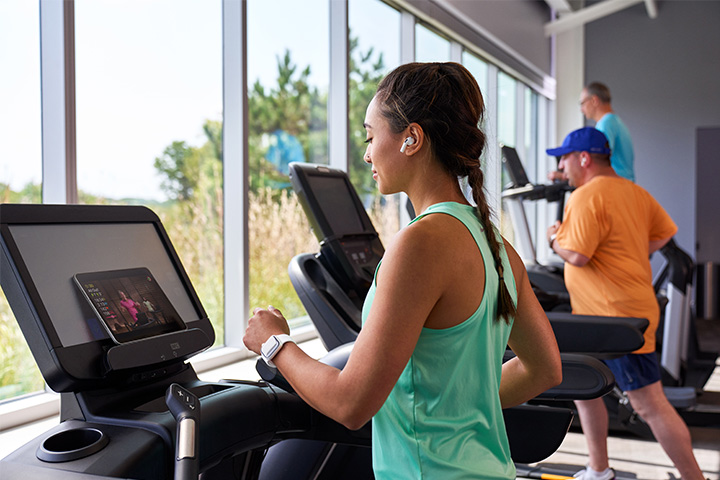
Some cardio and resistance equipment includes digital consoles, workout profiles, entertainment or performance tracking. A trial should test whether these features support the session without distracting from it.
Use a familiar mode and conservative intensity. Assess whether start, stop, resistance and emergency controls are obvious. Important functions should remain accessible even if optional account linking is skipped.
Do not assume displayed calories, heart rate or performance estimates are exact. Different machines and algorithms can produce different values. Use them as contextual feedback, not medical assessment or a direct comparison with another device.
Check Data Portability and Optional Connections
If the visitor values workout history, ask whether the app records attendance, classes or equipment data and whether it connects with existing platforms. Integration is useful only when it saves effort and handles data appropriately.
Account linking should be optional unless essential to the service. Review permissions before connecting wearables or health apps. Grant only access that supports a clear purpose.
A member who prefers a paper or independent digital log should confirm that core gym functions remain available without adopting every optional feature.
Run a Failure Scenario
Digital quality becomes visible when something goes wrong. Ask what happens if the phone battery is flat, the app is unavailable or a booking confirmation cannot be opened. A reasonable manual process can prevent one technical failure from cancelling a workout.
Also identify the support channel. Is help available in the app, through staff or by phone? Does the user receive a reference for reported issues? The trial is not the time to deliberately disrupt systems, but asking one practical question can reveal resilience.
Create a Digital Friction Score
Rate setup, confirmation, entry, class search, booking clarity, notification control, equipment interfaces and fallback support. Weight only the features likely to be used.
A solo lifter may care most about entry and equipment usability. A class-focused member may place greater weight on schedules, waitlists and cancellation rules. The score should reflect the intended routine rather than a generic technology checklist.
TFX’s website links users to registration and class-schedule functions alongside its trial form. Testing that full digital journey helps a prospective member evaluate TFX Singapore as an end-to-end service, not only a physical training floor.
Technology Should Remove Decisions
Good gym technology makes the next action clear. It confirms access, communicates changes and supports training without demanding constant attention. By testing apps, booking flows and equipment interfaces during the trial, a visitor can identify recurring digital friction before it becomes part of every workout.
Frequently Asked Questions
Must a visitor download an app for a gym trial?
Requirements vary. Confirm the official process before visiting and ask whether essential functions have a browser or staff-assisted alternative.
What class-booking details matter most?
Check outlet, date, time, confirmation status, cancellation deadline, waitlist process and any equipment or arrival instructions.
Are calorie readings on gym machines accurate?
They are estimates based on device algorithms and available inputs. Use them cautiously and avoid treating differences between machines as precise physiological changes.
What if the phone is unavailable at entry?
Ask about the facility’s fallback identification or staff lookup process during the trial. A resilient access system should have a clear way to resolve ordinary technical failures.